

Create Your First Training Plan
Introduction
Creating a training plan is one of the core features of iSoccer.
Training plans allow you to organise drills into structured sessions that can be completed, tracked, and reviewed over time.
Whether you are training by yourself, working with a coach, or following a team program, creating a well-structured plan is the first step towards consistent improvement.
Before You Begin
Before creating a plan, make sure:
- You are logged in to your iSoccer account.
- You have selected a subscription plan or Free Tier.
- You have a clear training goal in mind.
Examples of training goals include:
- Improve dribbling
- Improve passing
- Improve shooting
- Improve speed and agility
- Improve physical conditioning
- Improve recovery and flexibility
Open Plan Create
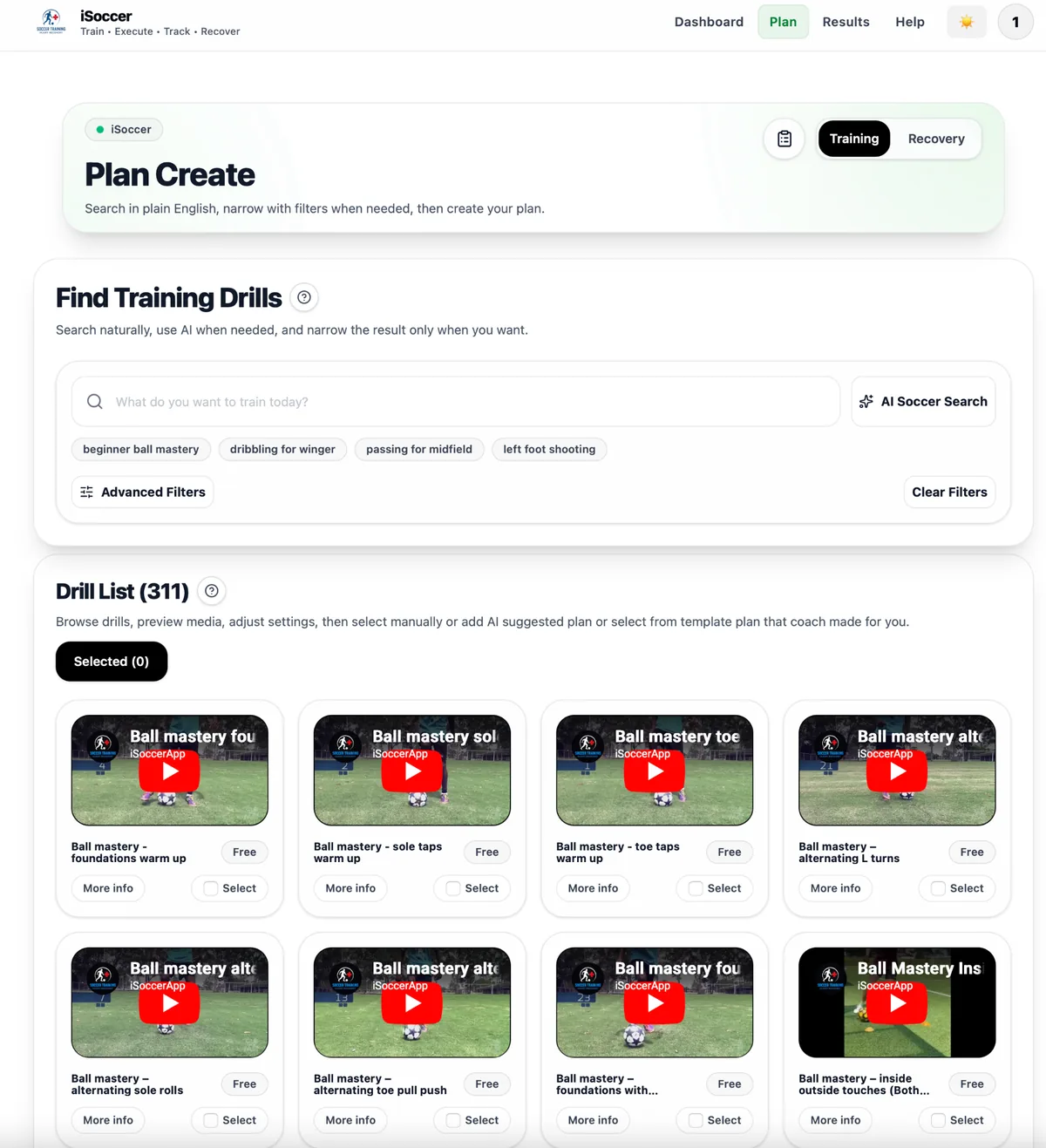 Plan Create overview
From the iSoccer menu:
Plan Create overview
From the iSoccer menu:
- Open Plan Create.
- Browse available drills.
- Search for specific drills if needed.
You can search by:
- Training target
- Position
- Difficulty level
- Age group
- Recovery body part
- Keywords
Understanding Drill Types
iSoccer includes two main drill categories. (Training and Recovery)
 Training Modal
Training Drills
Training drills focus on skill development.
Examples include:
- Dribbling
- Passing
- Shooting
- Heading
- Speed and agility
- Goalkeeping
- Physical conditioning
Recovery Drills
Recovery drills focus on:
- Flexibility
- Mobility
- Muscle recovery
- Injury prevention
Recovery drills can be filtered by body part.
Adding Drills to Your Plan
When you find a drill you want to use:
- Select the drill.
- Add it to your clipboard.
- Continue searching and adding additional drills.
The clipboard acts as a temporary workspace where you can organise your session before saving the final plan.
Using the Clipboard
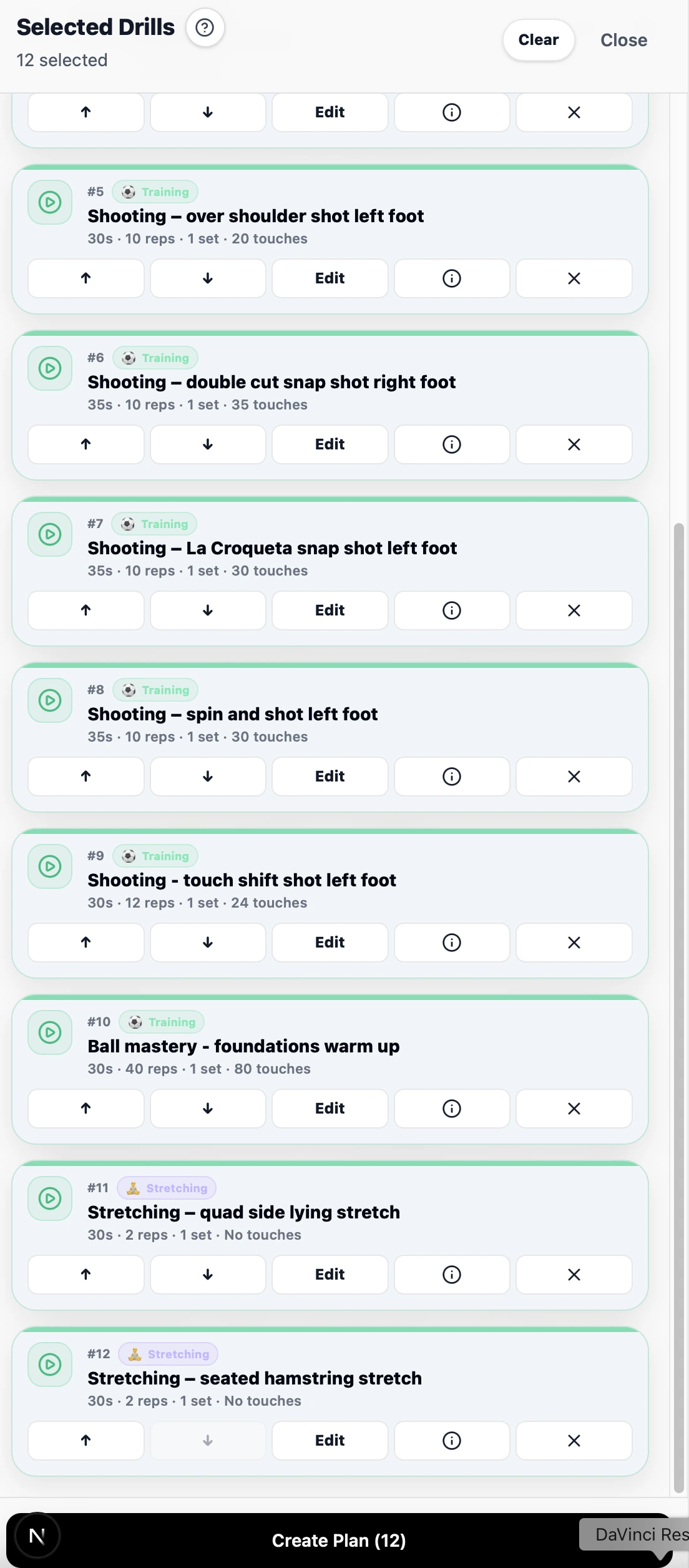 using clipboard
The clipboard allows you to:
using clipboard
The clipboard allows you to:
- Reorder drills
- Remove drills
- Adjust duration
- Adjust repetitions
- Adjust sets
- Adjust ball touches
- Review your session structure
You can continue editing until the plan matches your training requirements.
Understanding Duration and Repetitions
Some drills contain both:
- Duration per set
- Repetitions per set
The value used during execution depends on the training mode you choose later.
Step-by-Step Mode
When running a plan in Step-by-Step mode:
- Repetitions are the primary guide.
- Actual training time is recorded based on real completion time.
- Duration values are treated as reference information.
Timer Mode
When running a plan in Timer Mode:
- Duration becomes the primary guide.
- Countdown timers control drill timing.
- Repetition values remain available as reference information.
For the most accurate training records, enter realistic values for both fields whenever possible.
Suggested Plans
iSoccer can assist with plan creation by suggesting drills based on:
- Training targets
- Position
- Difficulty level
Suggested plans can help you quickly build a balanced session and discover drills you may not have considered.
Saving Your Plan
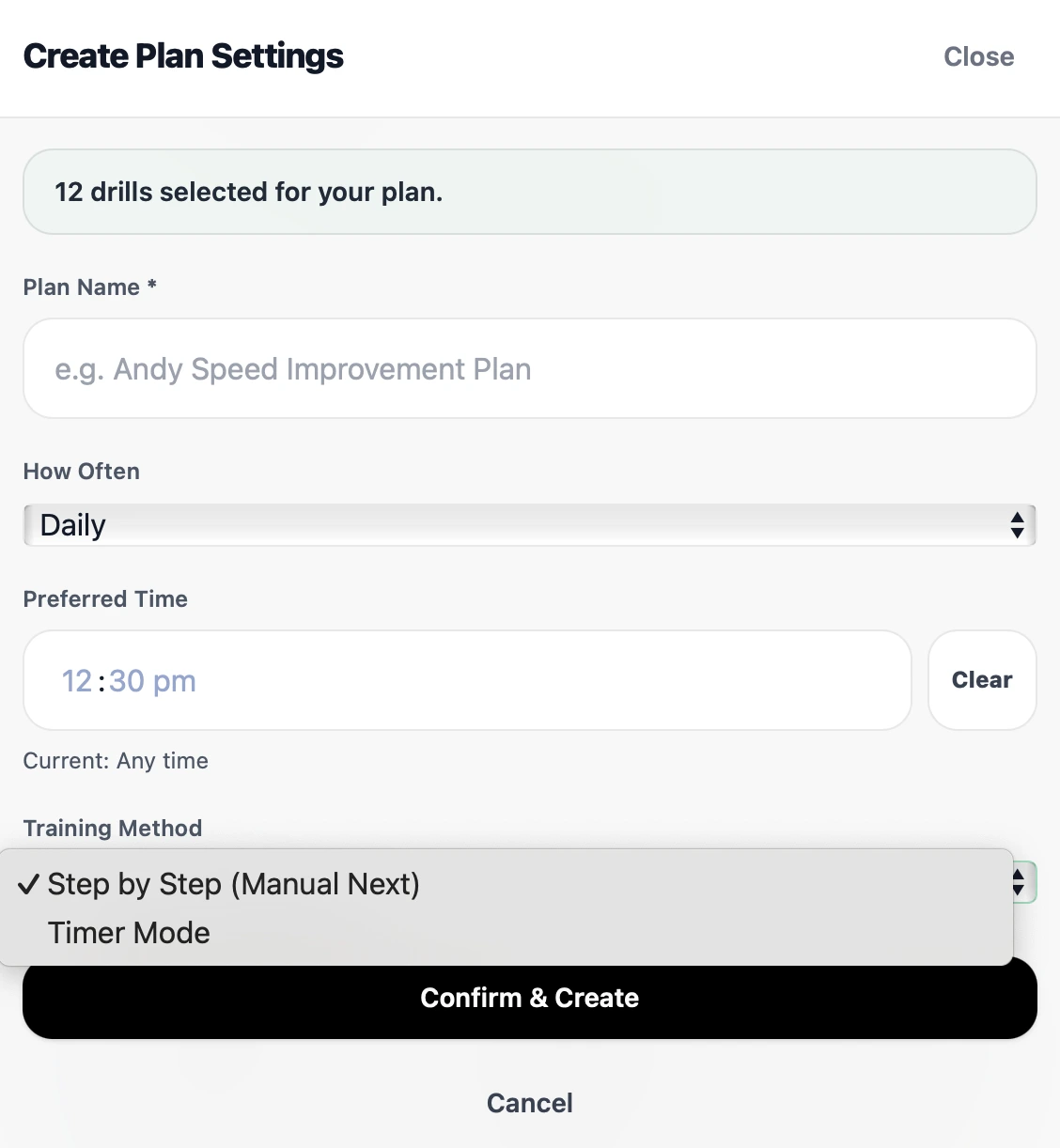 Saving Plan
After selecting your drills:
Saving Plan
After selecting your drills:
- Review the clipboard.
- Confirm drill order.
- Check durations and repetitions.
- Enter a plan name.
- Set How Often you want to complete the plan.
- Set your Preferred Time for training (leave blank if you can train at any time).
- Save the plan.
The How Often and Preferred Time settings are used to generate training reminders that appear on your dashboard.
Your plan will then be available in your dashboard.
Premium Drills
Some drills are marked as Premium.
Premium drills are available to:
- Individual Subscribers
- Team Owners
- Team Members
Premium drills are not available to Free Tier users.
If a premium drill is locked, upgrading your subscription will unlock access.
Best Practice for New Users
For your first plan:
- Keep sessions simple.
- Use 5 to 10 drills.
- Include a warm-up.
- Include your main training focus.
- Include a recovery or cool-down section.
A shorter plan is often easier to complete consistently than an overly complex session.
Next Step
Once your plan has been created, continue to:
Running a Training Plan
to learn how to start, complete, and track your training sessions inside iSoccer.